≡ Menu

Delta Airlines Spam

I received some new spam/phishing attempt in my email today.

Here’s a screen shot:

delta screenshot of phish attempt spam

So many links, so little time…

Here’s the text (with links portrayed in red bold and actual html pointers removed):


Thank you for choosing Delta. We encourage you to review this information before your trip.
If you need to contact Delta or check on your flight information, go to delta.com/itineraries
Now, managing your travel plans just got easier. You can exchange, reissue and refund electronic tickets at delta.com/itineraries. 
Take control and make changes to your itineraries at delta.com/itineraries. 
Speed through the airport. Check-in online for your flight. 
 
Check-in
Flight Information
DELTA CONFIRMATION #: DCEA5743
TICKET #: 00415873598959
Bkng Meals/ Seat/
Day Date Flight Status Class City Time Other Cabin
— —– ————— —— —– —————- —— —— ——-
Mon 11MAR DELTA 372 OK H LV NYC-KENNEDY 820P F 19C
AR SAN FRANCISCO 8211P COACH
 
Fri 15MAR DELTA 1721 OK H LV LOS ANGELES 1145P V 29A
AR NYC-KENNEDY 812A# COACH
 
Check your flight information online at delta.com/itineraries
 

I’ve written before about similar spam emails, but this one is particularly funny because each one of those links contained a different site. Not a different page on a larger site, totally different sites with various domains. Note the filename at the end of each link is the same except for #4.

Don’t click on any of these (I haven’t). Here are the sender’s address and the links contained in this email:

  • Sender: DELTA CONFIRMATION <CVgTTMHTk@govdataservices.com>
  • 1st link: http://bjhonglu-hotel.com/wps.php?v20120226
  • 2nd link: http://fidele.com.ua/wps.php?v20120226
  • 3rd link: http://cgtlmh.com/wps.php?v20120226
  • 4th link: http://www.guitarska.com/wp-content/plugins/akismet/a.php?v20120226
  • 5th link: http://www.sust.edu/department/ipe/templates/beez/wps.php?v20120226

Here are some ways you can determine this is spam:

  1. Are you expecting any communication from this company? If no, then immediately become suspicious of spam.
  2. Is the letter professionally written? In this case, No. When would you see official correspondence with so many links? Also, many companies now do not send any links at all in their emails, due to the high number of these types of phishing attempts. When in doubt, always open up a new browser window and go directly to the site. E.g. paypal.com – and don’t click on the type ahead entry your browser may have saved.
  3. Hover over the links. Do they look strange? Yes? Don’t click.
  4. Is the sender’s address from the business? This spam has a spammy sender address. Dead giveaway.
  5. Did you receive this email at your regular account or an account you don’t use much for transactions? I have an account solely for business, and another for this site, and yet more for family things. I can easily identify spam when it is sent to another account that I do not use for transactions. Obviously a “crawler” gleaned my email address from somewhere and sent the spam. If you do not have multiple email accounts to help you keep business transactions separate, perhaps you can signup at a free service like Yahoo or Google.
  6. Go to a search engine like Google and type in “[company name] spam” (leaving out the brackets and quotes). See if any similar spam emails come up.
  7. When in doubt, write to the company directly by typing their name into a search engine, then finding their contact page. I’d also say check social media channels for the company and see if there was an announcement about the spam, but I find that Delta and others are loath to address this problem publicly. Maybe as the years go by companies will face this issue more pro-actively.

I searched Delta Airlines’ site and did a pretty good search of the Web but I couldn’t find any official statement addressing this phishing attempt. I wrote them an email asking for one. I’ll update this post if/when I do get it.

Here’s what to do if you have clicked one of the links:

  • Clear out your browsers cache and erase all cookies.
  • Run anti-virus software on your machine very diligently for the next week to four weeks, updating every day.
  • Keep an eye on your credit card statements and credit report if you suspect you’ve lost financial information. Probably it’s pretty harmless if you did download and run a .exe or other file containing virus, and most anti-viral software will get rid of it.
  • If you find your computer has slowed down dramatically, take it to a shop to get cleaned up immediately. It may be a “zombie” and being used to send out spam to others.

Be careful out there, folks. And just remember: almost all large companies have hired security and communications experts. They will not be sending emails that give you even the slightest pause. If a communication seems hinky, it probably is. Typing the company name into a new browser window and logging in there is a small price to pay for your safety.


****UPDATE March 6, 2013

I received this email from the Delta support desk yesterday:

[continue reading…]

0 comments
Yahoo's Mayer is bailing dead weight and ignoring sunk costs of the work-at-home policy

Yahoo’s Mayer is bailing dead weight and ignoring sunk costs of the work-at-home policy: Shape up or ship out.

Melissa Mayer of Yahoo had her HR lackey send out a memo that informed all employees that an end had come to an established and well-loved work-at-home policy at Yahoo. The Internet is up in arms about it, with arguments for both sides of the worth of work-at-home policies.


This really isn’t about working at home, collaboration, or anything else. This is about vetting dead weight at Yahoo without the mess of wrongful termination lawsuits.


I’ve worked in enough tech companies to recognize the schtick: Company has problems. Company needs a quick turnaround. A disdainful eye is turned on the employees. Employees are seen as expensive and unnecessary. Company decides to sell off entire divisions, lay off chunks of staff and replace them with contractors, or company makes sweeping, drastic changes in policy in hopes a bunch of people quit. The latter is probably the real reason behind the Yahoo move.


It’s a cowardly and crappy way to go, but the reality is it’s the most-efficient way to clear out “dead weight” (i.e. underperforming) employees via voluntarily separation. Voluntary separation usually means that wrongful termination lawsuits are not viable. In other words, if you quit a company, it’s more difficult to prove you were fired for unfair reasons.

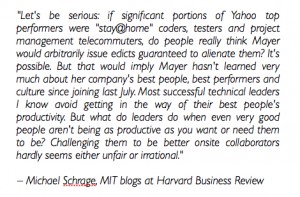
HBR.org quote by Michael Schrage

This MIT researcher says Yahoo knows who their top performers are. Click on the photo to see the article.


It looks like Mayer went through some creative strategy planning in order to make this policy change as annoying and as face-slapping as possible:

  • Sudden announcement
  • Announcement sent by the [always hated] HR department instead of the CEO
  • Sweeping and major policy change to the work habits of all employees
  • Threatening undertones
  • (The nursery for her child attached to Mayer’s office is another kick in the pants to new parents that may work at Yahoo.)


The more pain felt by the staff, the more likely it is that the underperformers will seek employment elsewhere. The “company men” at Yahoo won’t be the ones dusting off their résumés. They’re the “believers”, the hard workers, the ones who will probably applaud the loss of certain feet-dragging team members.


Behavioral Economics researchers like Dan Ariely have discovered that humans will do almost anything to maintain the status quo in any situation. The pain of loss, these researchers estimate, is 2 or 3 times more severe than the joy in gain. Yahoo management is hoping the loss of a comfortable work at home option plus the disrespectful tone and way the message was delivered will be powerful enough to help the “non-believers” move along without much protest.


In a litigious environment, Mayer’s latest move to disrupt the masses is standard practice and definitely a well-thought out creative strategy. My CEO-thinking self admires the move. My employee/parenting self is hoping Yahoo staff can find a way to get over the loss, trust their leadership and be happy and productive at work.

joke, twitter, vpn

Work-from-home geeks will get this joke.

 Boat photo credit: thefunklab on Flickr
0 comments
Matthew Klint's picture of his business class media screen

Pics on a Plane: Shoot & Get the Boot – Matthew Klint’s Offensive Shot

On top of all the controversy about the supposed threat that mobile telecommunications devices have on airline communications comes a bizarre story about United Airlines tossing a well-known travel blogger off one of a flight to Istanbul from Newark, NJ for snapping a photo of the screen in front of his seat.


From various reports, it sounds like one particular flight attendant (FA) lost her marbles. After asking Matthew Klint to cease and desist from capturing media, the FA went to the captain of the flight with stories of perceived threats. Mr. Klint then got kicked off the plane. No big arguments, no yelling. Mr. Klint has witnesses and corroboration from police investigations that he was nothing but calm and didn’t even argue. He reports that he simply put away his phone and tried to reach out to the FA to explain his simple action of taking a pic for his popular travel blog. Mr. Klint wasn’t trying to expose any wrongdoing by the airline. He was sitting in business class and was happy about it.


Mr. Klint wound up getting to Instanbul despite the problem, and United has yet to apologize for the incident but says they are investigating.


This is another case of the tech outrunning the culture. Police and governments are also having a hard time dealing with a media-enabled public. Grass-roots groups are popping up everywhere to inform the public of their First Amendment rights.


Mr. Klint was aboard a private vessel. The owners of that vessel are free to enact almost any terms of service they deem necessary. United has put forth a policy that informs customers that any use of media capture is unwelcome. (The FA in the Klint case is reported to have said that there are FAA regulations against the use of cameras, but probably was thinking of the rules banning wireless mobile use.)


Out and about, though, the First Amendment ensures a lot of freedoms to capture media. Those who are out in public give up a reasonable expectation of privacy and should be prepared to be recorded. If you want to move around incognito, there are spy techniques and technology hacks that can fool cameras/face-recognition software, but one word of advice: don’t start snapping shots of your surroundings. That still gets immediate unwanted attention.


If I were in charge of United’s creative direction, I’d embrace the tech. This would be more of a Virgin approach, but I’d think up ways that the flight attendants themselves and perhaps the planes/seats could be destinations to “check into” a la Foursquare or other social media apps. I could see sweepstakes, geo-caching-like gifts given from person-to-person (like wheresgeorge), and other games growing out of such efforts. Travelers will pick up the games, because they are social and they will pique their curiosity in a usually mind-numbing situation. United could hide QR codes in various places on the plane for the media savvy customers, offering coupons or simply fun videos as prizes.


Flying is such a pain. Having “famous” flight attendants to meet and planes and seats to occupy and share with like-minded travelers and friends would add a layer of social fun that could translate into more customer loyalty. Flight attendants should be posing for pics with customers instead of deplaning them. There are many creative opportunities for airlines to grow and maintain a new generation of customer base. They just have to wake up and smile for the camera.

0 comments

Steven Levitt and Stephen Dubner, the two wild-n-crazy economists behind the decision-making/navel-gazing Freakonomics books and podcast, have started a digital coin toss website where users ask the Tech Fates solve their dilemmas and commit to participating in a long-term research trial: Freakonomicsexperiments.com

freakonomics coin

One Way. Or Another.

This ongoing study is attempting to determine if people are happier flipping a coin to decide which path to choose or if they’d be happier mulling and chosing a decision for themselves.

Common wisdom shows a coin flip can be a very helpful and fair(ish) method when a decision is looming, but not helpful in the way the Steves are thinking. It’s helpful because in the few seconds it takes to flip the coin, one’s natural preference comes through. The Steves are thinking that some decisions are just too tough to responsible for all on one’s own. A person might be happier in life if she is told what to do by an emotionless (which assumes impartiality) computer algorithm as opposed to taking the on the onus of the choice herself. If it goes well, the decision-adopter can take credit. If it goes unwell, she can blame the coin toss. The Steves are betting the coin toss will help people be happier in the long run.

I went over to the site, thinking I’d ask a career question, namely, whether to pretty much give up on writing, consulting and/or look for another job, or, to redouble (and more) my efforts to make this work-independently-at-home thing better.

I paused at the “warning screen” the FE site gives you. The Steves very much want you to commit to the decision afforded by the toss. A pop-up warns that your solid commitment to adhere to the results of the coin toss is the only way they can get good data for the burgeoning behavioral-economics canon. It’s an “Are you sure?” page. I wasn’t sure. So I didn’t flip the coin. I opted to turn back not because I think I am the master of my own destiny. I am not, not by any means. My destiny is tied up with several others’ destiny.

Religious people give over their turns at the decision-making table to a higher power. Tech is my higher power; One would think I’d fully participate in the digital coin toss. At the end of the day, though, I’m the type of person who would rather have control over my career moves. I’d like to exert agency in areas where I can. I’m not the type to leave an important choice up to a coin toss, especially one put up by two untrustworthy economists (<-is that redundant?).

2753954235_706bbd47f1_n

Which Hedge Fun(d) to choose?

The Steves don’t go through the steps of Informed Consent at the site. “Informed Consent” is a process where a subject experiment agrees to the terms and conditions of the experiment. Informed Consent does not require that the study’s entire hypothesis be revealed at the start because the transparency may taint the results; participants are supposed to be “debriefed” at the end of their participation in the research trial. Offices called “Internal Review Boards” at research institutions ensure that each lab is following Informed Consent practices to the letter. I was once hired as a liaison to a university’s Internal Review Board (IRB) to help reinstate the lab’s good standing and ability to conduct human trials, because the lab had previously run afoul and was banned for not following correct procedures. Human participants in experiments need protections. It’s all quite a serious business.

Perhaps my background as a researcher precludes me from taking freakonomicsexperiments.com at face value. I either overthink it or underthink it. I’m not sure what it would take to convince me to participate, given my reservations. My guess is most of the 18,000+ people who have reportedly already flipped a coin aren’t going to take the research so seriously. They didn’t sign a piece of paper committing to the trial. They weren’t put through Informed Consent processes (which add weight to the seriousness of the research). The site looks like a fun web-based game, not a safe trustworthy human research trial. (We could talk at length about data gathering via surveys and how participants and experimenters are excused from Informed Consent in those cases, and how The Steves may be categorizing the FE site as a “survey” site, but I’ll table the research design debate for another post. Internet-based experiments are worth trying, despite the lack of an IRB or Informed Consent. The Steves will collect data. Whether or not the data will be more trustworthy than its collectors is yet to be seen.)


Have you ever decided something big, like which car to buy or your college major, with a coin toss? Will you try Freakonomicsexperiments for your next big choice? After all, it’s all in the name of science.


Photo credit: SkittleDog on Flickr.

More reading on this subject:
The Utility of the Coin Flip?
http://socscistout.blogspot.com/2013/01/the-utility-of-coin-flip.html
Of Black Swans and Tossed Coins: Is the Description-Experience Gap 
in Risky Choice Limited to Rare Events?:
http://www.plosone.org/article/info%3Adoi%2F10.1371%2Fjournal.pone.0020262


0 comments

This Reuters article mentions how Apple found some unwelcome code lurking in some of its user machines. “A site used by web developers” is secret talk meaning the programmers were looking up snippets of code so they could cut and paste it (which isn’t such a bad way to do it, really. Why rewrite everything by hand when someone else already did? Efficiency!).

Using code library sites like github or others to enable hacks is pretty darn ingenius. Usually the bad guys just hook up their infiltrating programs onto the underbelly of porn photos or movies.

What does this mean for normal people? It means that Apple products have enough market share to attract bad guys. This means we need to be careful with our laptops, ipads, iphones, etc. We need to install anti-virus software made specifically for Apple products. I’ve almost always had anti-virus software on all my Apple machines, but to be honest it was probably a bit overkill. Not anymore.

Another thing I do but don’t expect the rest of the world to deal with: I block java in Chrome. This means I must click a button to allow javascript to run. I can read/use most sites without enabling javascript, but sometimes when forms or videos or such need to be rendered, I have to click the “run javascript” button and reload the page. I don’t run the script if I don’t have to or if I don’t trust the site. This process is laborious and out of the purview of most end-users, though.

Install and run some anti-virus software. Go to your App store and click on Updates. Install any of those you see there. (I’ve seen some Apple machines that have over 100 updates for apps and system software waiting to be run. Yikes! Just do it, people!)

Be safe out there on dem Interwebz roadz.

0 comments